
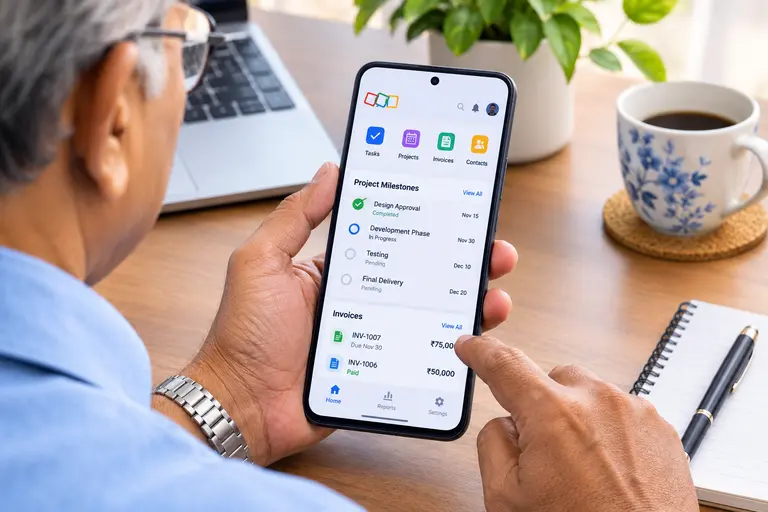
Disclosure: This post contains an affiliate link for Zoho for freelancers and solopreneurs. If you make a purchase or sign up through these links, I may earn a small commission at no extra cost to you. Getting started with Zoho for freelancers and solopreneurs is a great way to manage your business, and you can get $100 in Zoho wallet credits to kickstart your account when you sign up through my referral link!
Introduction
Running an independent business takes more than a single set of skills; it requires an organized digital backbone. First, freelancers must find new clients, agree on project requirements, and send estimates. Then, they complete their assignments, track business expenses, and collect payments. Moreover, most solopreneurs manage every task alone. For example, a freelance designer discusses a creative brief in the morning, creates artwork in the afternoon, and chases an unpaid invoice at night. Because separate spreadsheets, emails, and phone apps waste precious hours, independent professionals need affordable software that simplifies daily work. This is where Zoho helps. Its apps cover customer management, projects, accounting, and invoicing. Furthermore, freelancers can start small and add tools as their income grows. In this guide, we explain two practical ways to use Zoho, share real customer stories, and offer simple lessons. Our guide to small business tools for Indian readers offers more background.
Two Ways to Manage Client Work with Zoho for Freelancers
Using Zoho Solo for Freelancers
Zoho Solo serves freelancers who do not need enterprise-level complexity. First, users create client profiles, keep detailed notes, and schedule appointments. Next, task tools set deadlines and send automated reminders, while built-in timers record billable hours at each specific hourly rate. In addition, Solo tracks expenses and income, and its paid plans add a mileage tracker. Users also send custom invoices and accept payments through supported gateways. For instance, a photographer can store client contacts, book shoots, log expenses, and send invoices from one convenient mobile app. Solo also works on mobile, so professionals can update records while at client sites. However, Solo suits individual users perfectly; therefore, growing teams should explore other Zoho applications.
Combining Specialized Zoho Apps
As assignments grow, freelancers often need more flexibility. Bigin by Zoho CRM tracks leads through visual pipelines, so consultants rarely miss a follow-up. Meanwhile, Zoho Projects plans milestones, tasks, and timesheets, whereas Zoho Tables organises deadlines and project details in a flexible workspace. For money matters, Zoho Invoice prepares estimates, recurring invoices, and payment reminders. Likewise, Zoho Books manages expenses, multicurrency transactions, and GST accounting for Indian businesses. Therefore, freelancers should choose only the apps they truly need to maintain efficiency.
Who Can Use Zoho for Independent Work
Creative, Digital, and Consulting Professionals
Designers, writers, photographers, developers, and marketing consultants can organize clients, deadlines, hours, and invoices in one place. For instance, a freelance writer can schedule articles and bill monthly clients automatically. Similarly, IT consultants can use Bigin to follow up on new enquiries. The freelancer productivity tips show how to build these essential habits.
Coaches, Local Service Providers, and Artisans
Tutors, trainers, wedding planners, electricians, and handmade jewellery makers can schedule sessions, record material costs, and send invoices. However, coaches who store sensitive personal data must follow strict privacy rules. Likewise, sellers with complicated stock needs should consider dedicated inventory software. Consequently, almost every independent professional can find a workable setup within the ecosystem.
Real Examples from Zoho Customers
Zoho publishes numerous customer stories to help users understand their potential. Although these testimonials reflect individual experiences rather than independent research, they still offer practical lessons.
Freelancers Who Save Time Using Zoho for Freelancers
Lena Shore, a freelance web developer and designer, adopted Zoho Invoice. She set up recurring invoices and automated payment reminders. According to her testimonial, she saves about ten hours of invoicing work each month. Read her story. Likewise, Robin Bull founded Black Moth Media, a writing and editing business. She uses Zoho Invoice to manage her finances in one place. As a result, she reports saving at least four hours every week. Read her story.
Small Businesses Adopting Zoho for Freelancers
Thamires Kino manages F. da Maral, a home improvement business. Previously, she used separate apps for contacts, appointments, invoices, and payments. After switching to Zoho Solo, she handles all of them in one mobile workspace. Read the story. Meanwhile, Brandon Brown of Plotwist Creative uses Zoho Invoice for estimates and reminders. His clients view their financial documents through a customer portal. He reports twofold revenue growth and an 82% productivity increase since adopting the tool. Read the story.
Lessons for Freelancers and Software Creators
Practical Lessons for Independent Professionals
First, start small. Fix your biggest administrative problem before buying several subscriptions. Second, automate repetitive tasks, because recurring invoices and reminders save hours. Third, keep client records organized, since agreed prices and deadlines prevent misunderstandings. Finally, log your hours and expenses regularly; otherwise, you may miss billable time and delay your payments.
Lessons for Software Creators
Independent professionals want affordable tools without enterprise complexity. Moreover, they value mobile access and modular products that grow with them. Software creators should also support local taxes, currencies, and languages, because regional needs matter. Similarly, clear pricing helps small buyers trust a product.
Frequently Asked Questions
Can freelancers run their entire business on Zoho?
Yes, Zoho Solo covers client management, tasks, time tracking, expenses, and invoicing. However, specialized needs may require additional apps.
Which Zoho app should a beginner choose?
Zoho Solo suits freelancers who want one workspace. Alternatively, Zoho Invoice works well when billing is the main challenge.
Can Indian freelancers manage GST invoices on Zoho?
Yes, Zoho Books supports GST accounting and invoicing. Nevertheless, users must configure it for their specific tax duties.
Can freelancers manage international clients?
Yes, Zoho Books supports multicurrency transactions. However, availability depends on the subscription plan.
Does Zoho guarantee higher income?
No. Software improves organization, but income still depends on skills, pricing, marketing, and client relationships.
Disclaimer
This article explains how freelancers can use Zoho. Customer results reflect published testimonials, not guarantees. Features and tax rules vary by app and plan.